Draw with flexible tools
Create rectangles, ellipses, lines, polygons, open paths, and smoothed freehand strokes.
A desktop drawing app for Flutter
Draw editable artwork, turn layered shapes into 3D objects, and export the result as Flutter-ready Dart code.
Draw and organize the artwork in the editor, then inspect the Dart painter and layer files before you use them.
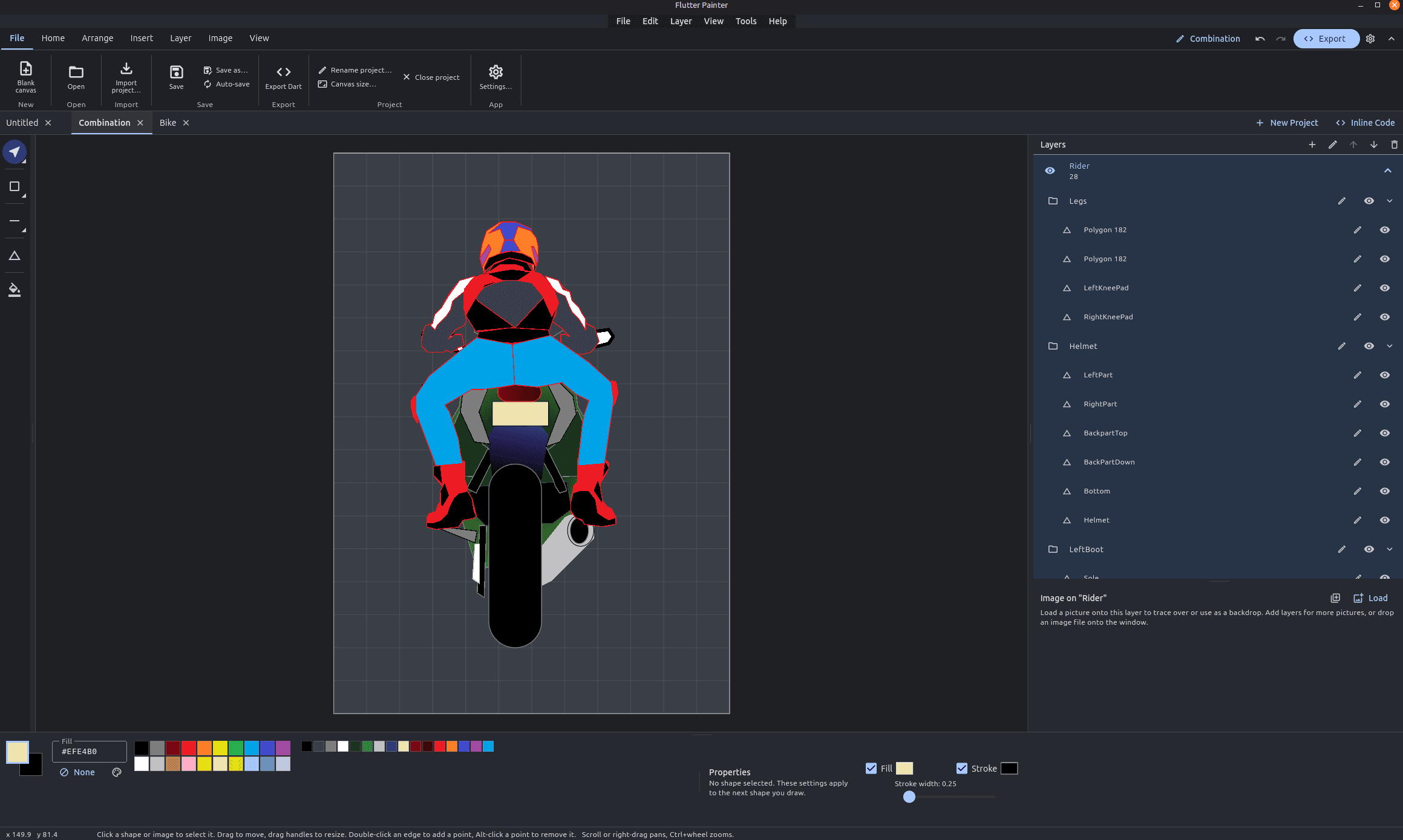
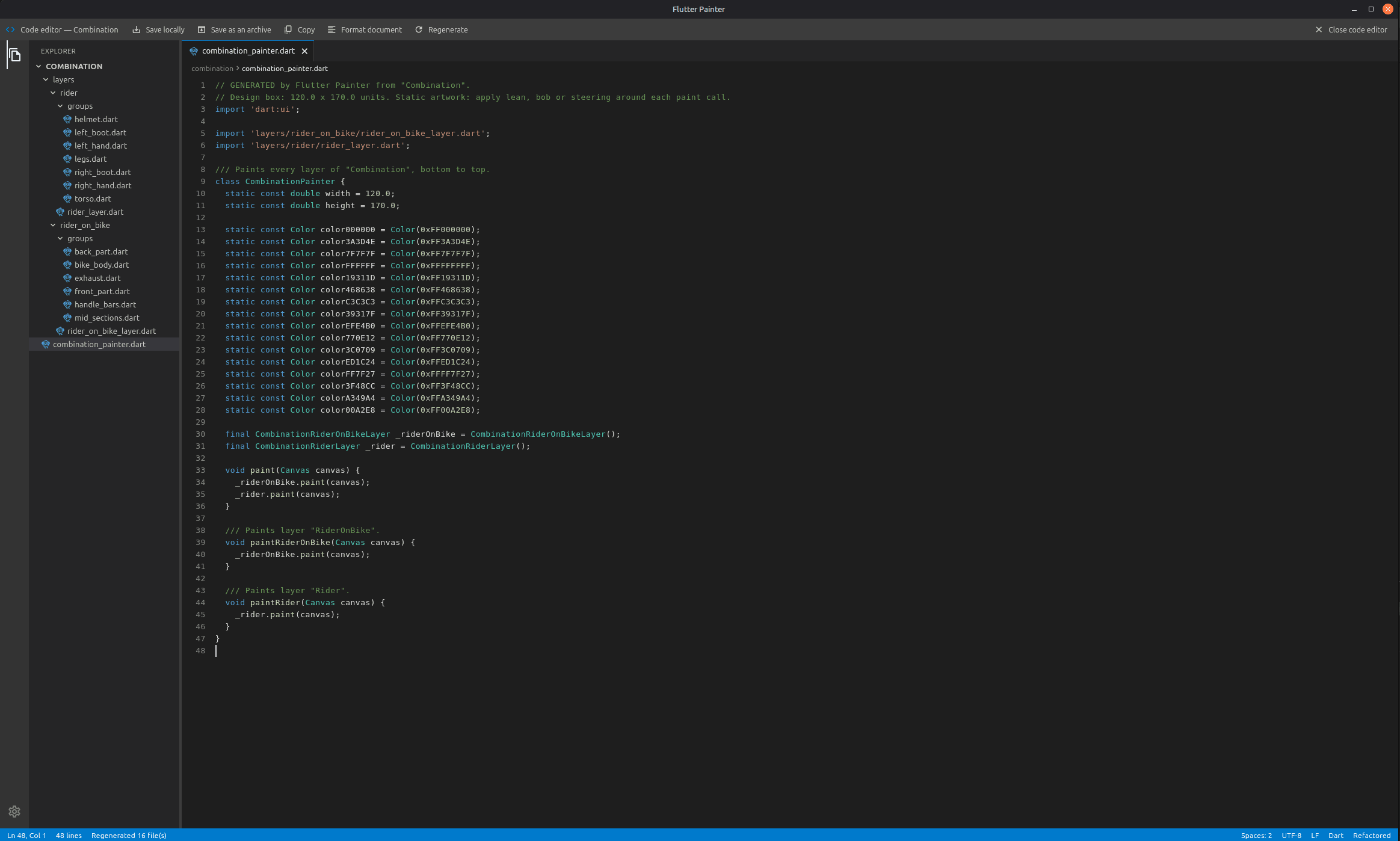
Build a drawing from individual shapes, keep the structure editable, and choose how the Dart code is organized.
Create rectangles, ellipses, lines, polygons, open paths, and smoothed freehand strokes.
Select one or many shapes, then move, resize, rotate, group, and edit path points.
Use layers and an expandable item tree to arrange drawings, groups, and their parts.
Convert a layer into a 3D model, then adjust each shape’s thickness and depth.
Place an image on a layer, adjust it while drawing, and keep it with the project file.
Keep projects open in tabs with undo, redo, auto-save, and draft recovery.
Generate a refactored set of files or one monolithic painter that uses dart:ui.
Choose light or dark themes and switch between minimal and advanced layouts.
Choose a build for Windows, macOS, or Linux. Packages are available for the supported desktop architectures.
64-bit installer, with a portable ZIP under other downloads.
Other downloads
For Apple Silicon and Intel Macs.
Other downloads
Builds for 64-bit Intel/AMD (x64).
Using another CPU? Pick it under Other downloads.
Other downloads
Version v1.0.23 · Release notes · SHA256 checksums
Need help installing? Email me.